
From AllTrails to Gaia GPS — which hiking apps actually work for beginners, what’s worth paying for, and how to set up offline maps before you lose signal.
Key Takeaways
- AllTrails is the best starting app for beginners — it has the largest trail database, the most user reviews, and the most intuitive interface for people who’ve never used a hiking app before
- The free version of AllTrails works well for planning; AllTrails Pro ($35.99/year) adds offline maps and real-time GPS tracking that are worth it once hiking becomes a regular habit
- Always download your trail map before leaving home — cell service disappears on trail, often before you realize it’s gone
- For serious backcountry or off-trail navigation, Gaia GPS is the superior tool — but it has a steeper learning curve that makes it less ideal as a first app
- A fully charged phone with an offline map is more valuable than any physical compass for most beginner day hikers

You’re planning your first real hike. You’ve got the trail picked out, the water bottles filled, the snacks packed. Then it hits you: what if you lose the trail? What if your phone loses signal at mile 3 and you can’t figure out which fork to take? What if the trail markers are confusing and you just… end up somewhere you didn’t intend to be?
This particular anxiety is one of the most universal pre-hike experiences for new hikers — and it’s completely valid. Getting lost on a trail isn’t just inconvenient; depending on the terrain and time of day, it can become genuinely dangerous. The good news is that your phone, loaded with the right app and a downloaded offline map, is one of the most powerful navigation tools ever made available to recreational hikers.
The not-so-good news: there are a lot of hiking apps, and the differences between them aren’t obvious from the outside. This guide cuts through the noise and gives you a clear answer on which best hiking apps are worth your time, which is right for your situation, and exactly how to set them up so you’re covered even when your signal disappears.
The Best Hiking App for Beginners: Start With AllTrails
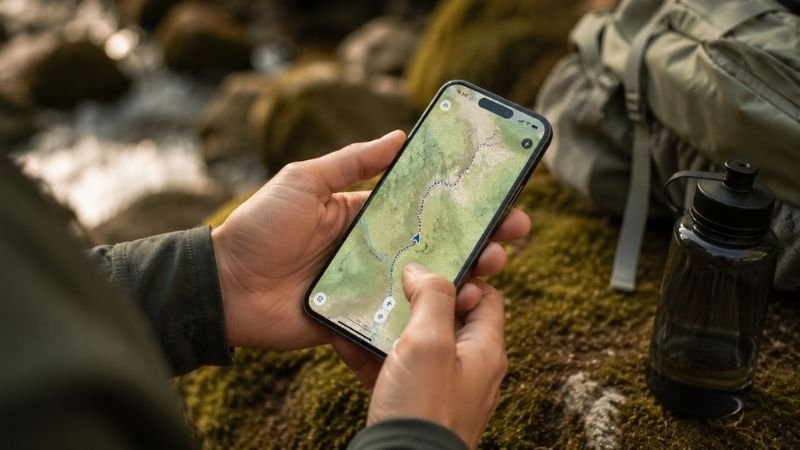
If you’re new to hiking and want one clear recommendation, here it is: download AllTrails first.
AllTrails has the largest trail database of any hiking app — over 400,000 trails across 100+ countries, with the deepest coverage of US trails. More importantly for beginners, it’s the most community-driven platform, meaning most trails have dozens or hundreds of recent reviews from real hikers who describe current conditions, difficulty accuracy, confusing junctions, parking situations, and everything else you actually need to know before showing up.
The interface is genuinely intuitive. You don’t need to understand topographic maps or GPS coordinates to use it effectively. You type in a location, filter by difficulty and length, read recent reviews, and pick a trail. That’s the entire workflow for most beginner day hikes.
What the free version of AllTrails includes:
- Trail search and filtering by difficulty, length, and features
- Trail maps viewable online
- Community reviews and photos
- Basic route recording
What AllTrails Pro adds ($35.99/year):
- Offline maps — download trails to your phone before you go, works without signal
- Real-time GPS location on the map
- Off-trail alerts when you wander from the route
- Printed maps you can take as backup
For your first several hikes on well-marked, popular trails: the free version is fine. Once hiking becomes a regular habit — which it tends to — the Pro upgrade is genuinely worth it. The offline maps alone justify the cost for anyone hiking more than once a month.
Editor’s note: AllTrails Pro costs less than most single pieces of hiking gear and covers your navigation needs for an entire year. In the hierarchy of hiking investments, it’s near the top of the value-per-dollar list.
AllTrails vs Gaia GPS: Which Is Right for You?
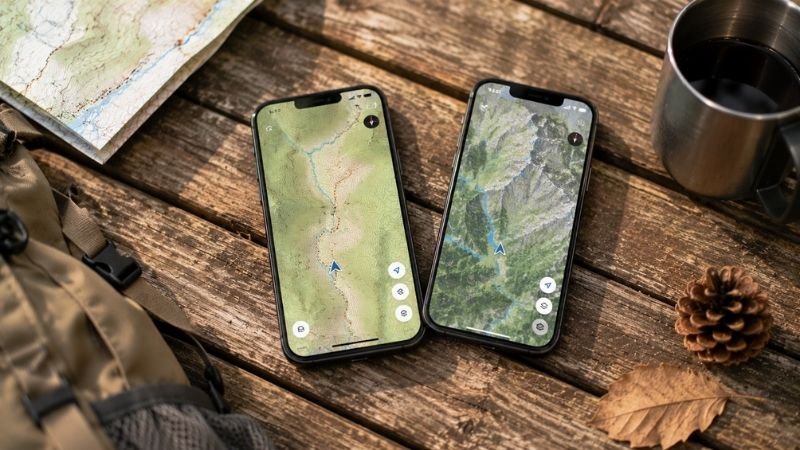
This is the question that hiking communities debate constantly, and the honest answer is that they’re built for different users. Here’s a direct comparison:
| Feature | AllTrails Free | AllTrails Pro | Gaia GPS Free | Gaia GPS Premium |
|---|---|---|---|---|
| Trail database | ✅ 400,000+ trails | ✅ Same | ⚠️ Smaller, more technical | ✅ Same + NatGeo maps |
| User reviews | ✅ Excellent | ✅ Excellent | ❌ Very limited | ❌ Very limited |
| Offline maps | ❌ No | ✅ Yes | ❌ No | ✅ Yes |
| Topo maps | Basic | Basic | ✅ Excellent | ✅ Excellent |
| GPS accuracy | Basic | ✅ Real-time | Basic | ✅ Real-time |
| Ease of use | ✅ Very easy | ✅ Very easy | ⚠️ Learning curve | ⚠️ Learning curve |
| Price | Free | $35.99/yr | Free | $39.99/yr |
| Best for | Beginner trail finding | Beginner navigation | Backcountry planning | Advanced navigation |
The practical summary:
AllTrails wins for beginners because of the community reviews — there’s no substitute for reading that “the trail fork at mile 2.3 is confusing, bear left” before you get there. The interface is built for casual hikers who want to find and follow trails, not study maps.
Gaia GPS wins for experienced hikers doing backcountry routes, off-trail navigation, or trips where topographic detail matters more than community feedback. The map quality is genuinely superior, and the route planning tools are more powerful.
For most beginners: start with AllTrails. Add Gaia GPS when you start doing more technical or remote routes.
Other Hiking Apps Worth Knowing About
Beyond the AllTrails vs Gaia debate, there are a few other apps that serve specific needs beginners should know about.
Farout (Formerly Guthook Guides): Best for Long Trails
If you’re planning to hike a specific long trail — the Appalachian Trail, Pacific Crest Trail, John Muir Trail, or any other named thru-hike route — Farout is the specialized tool for that. It has detailed waypoint information, water source locations, resupply points, and community notes that AllTrails doesn’t match for these specific routes.
For day hikers: not necessary. For anyone planning a multi-day route on a named trail: worth knowing about.
Cairn: Best for Solo Hikers and Safety-Conscious Beginners
Cairn is built around one specific use case: letting people who care about you know where you are and that you’re okay. It shares your real-time location and hike progress with designated contacts, alerts them if you don’t return by your expected time, and maps out areas with poor cell reception.
If you hike alone or your family worries when you go out: Cairn is worth downloading alongside AllTrails. The safety piece of mind it provides — for you and the people tracking you — is genuinely valuable.
REI Hiking Project: Best Free Alternative to AllTrails
The Hiking Project was built by REI and is completely free with no paid tier. It’s community-driven, ad-free, and has solid trail coverage. If you want a completely free option that covers most of what AllTrails free does: this is a legitimate alternative.
The trade-off: the community is smaller than AllTrails, so fewer trails have recent reviews, and the interface is less polished.
Weather Apps That Matter for Hiking
This isn’t a hiking-specific app, but it deserves mention: before any hike, check the weather for your specific trailhead location using an app that shows hourly forecasts and wind conditions. Weather Underground and Mountain Forecast are more accurate for trail-specific conditions than standard weather apps because they account for elevation and microclimates.
A weather check the night before and morning of your hike takes 2 minutes and is one of the most high-value safety habits you can build.
How to Set Up Offline Maps Before Your Hike (Step by Step)

This is the single most important practical skill for hiking with a phone — and the step that most beginners skip until the first time they need it and don’t have it.
For AllTrails Pro:
- Open AllTrails and find your trail
- On the trail page, tap the download icon (cloud with arrow)
- Select map quality (standard is fine for most hikes)
- Wait for the download to complete — do this on WiFi, not data
- The trail is now accessible in “Saved” even without signal
For Gaia GPS:
- Open Gaia and navigate to your hiking area
- Tap the layers icon and select your map type (USGS Topo is standard)
- Tap the download icon and select the area you want to cache
- Download on WiFi before you leave
Critical rule: Download before you leave home, not at the trailhead.
Cell signal at trailheads is often poor or nonexistent, which means by the time you realize you forgot to download the map, you can’t. Make offline map download part of your “night before” hiking checklist — same as filling your water bottles and charging your phone.
Speaking of charging: leave home with a full battery. A portable power bank ($20–35 for a reliable option) is worth adding to your day pack for any hike over 4 hours. Your phone is your navigation device — running out of battery is a genuine safety issue, not just an inconvenience.
What to Do When Your Phone Dies on the Trail

Even with perfect preparation, batteries die and screens crack. Here’s what to have in place before it happens:
Tell someone your plan before you go. This isn’t just advice — it’s the most important safety habit in hiking. Text a friend or family member: which trail, which trailhead, expected return time. If your phone dies and you’re not back by then, they know something is wrong and where to start looking.
Screenshot your trail map. Before leaving, take a screenshot of your planned route with key landmarks visible. Screenshots don’t require signal or battery beyond viewing them — they’re a $0 backup that takes 10 seconds.
Know the basic rule for getting lost: Stop moving. Stay calm. Stay where you are. Moving around randomly when lost makes you harder to find and often makes things worse. Check your last known position on your phone (even without signal, GPS can sometimes locate you), look for trail markers, and if genuinely unsure, wait for other hikers.
Consider a personal locator beacon (PLB) for remote hikes. For well-trafficked beginner trails, this isn’t necessary. For anyone venturing into genuinely remote areas, a PLB like the Garmin inReach or SPOT device allows satellite communication that works completely independently of your phone and cell service.
Is AllTrails Premium Worth It? An Honest Answer
This question comes up constantly in hiking communities, and the answer depends on how often you hike.
AllTrails Pro is worth it if:
- You hike more than 4–5 times per year
- You’ve ever been on a trail where you weren’t 100% sure you were going the right way
- You hike in areas with spotty or no cell service
- You want the peace of mind of real-time GPS tracking
AllTrails Pro is probably not worth it yet if:
- You’re still on your first 2–3 hikes and sticking to very popular, well-marked trails
- You always hike with someone who has Pro
- You only hike locally on trails you know well
At $35.99/year — roughly $3 per month — it’s not a significant expense once hiking becomes a regular part of your life. If you’re still testing whether you like hiking, start with the free version and upgrade when you know you’ll use it.

If You Only Have 5 Minutes: The Fast-Track Setup
Short on time? Here’s the minimum you need before your first hike:
- Download AllTrails (free)
- Search your trail, read the most recent 5–10 reviews
- Screenshot the trail map
- Check the weather for the trailhead location
- Text someone your plan and expected return time
That’s it. Five steps, about 10 minutes total, and you’ve dramatically reduced the most common beginner navigation risks.
FAQ: Real Questions About Hiking Apps
Q: Do I need to pay for a hiking app as a beginner? No. AllTrails free is genuinely useful for beginner trails on well-marked, popular routes. The paid version becomes worth it when you start hiking more frequently or venturing into areas with spotty cell service. Start free, upgrade when you know you’ll use the features.
Q: Can I use AllTrails without cell service? The free version requires internet connection to load maps. AllTrails Pro lets you download maps for offline use — this is one of its most important features. If you’re hiking somewhere with unreliable signal, either upgrade to Pro or use the screenshot backup method described above.
Q: Is Gaia GPS better than AllTrails? For beginners: no. AllTrails is more intuitive, has better community reviews, and is built for trail finding and following — which is what most beginners need. Gaia GPS has superior topographic maps and is better for backcountry navigation, but has a steeper learning curve. Start with AllTrails, add Gaia when you’re ready for more technical routes.
Q: What hiking app works without internet? AllTrails Pro and Gaia GPS Premium both offer offline map downloads. Farout (formerly Guthook) also works fully offline for specific long trails. For completely free offline navigation, the Organic Maps app uses OpenStreetMap data and works without any subscription — it’s less polished but functional for basic trail following.
Q: How do I find easy hiking trails near me? Open AllTrails, tap “Explore,” allow location access, then filter by “Easy” difficulty and your preferred distance range. Read at least 5 recent reviews on any trail before committing — the community notes often reveal important information the official trail description misses (parking, trail condition, confusing sections).
Download the App, Then Go
The best hiking apps in the world don’t do anything until you’re actually on the trail. Don’t let the research phase become a reason to delay the hike itself.
Download AllTrails tonight. Find a trail near you. Read the reviews. Screenshot the map. And go this weekend.
The navigation anxiety that feels so real right now dissolves almost completely the first time you watch a little blue dot move along your trail, confirming that yes, you are exactly where you’re supposed to be.
Keep building your beginner hiking setup:
- The Complete Hiking Packing List for Beginners
- Average Hiking Speed: How Long Does a Hike Actually Take?
- Hiking for Beginners: Everything You Need to Know Before Your First Trail
References
- AllTrails. Platform Statistics and Trail Database. alltrails.com
- Gaia GPS. Map Sources and Premium Features Overview. gaiagps.com
- American Hiking Society. Trail Safety and Navigation Resources. americanhiking.org
- Garmin. Personal Locator Beacon Technology and Emergency Communication. garmin.com
- National Park Service. Hiking Safety and Leave No Trace Principles. nps.gov